
Conversion Value Rules: the most overlooked setting in Google Ads
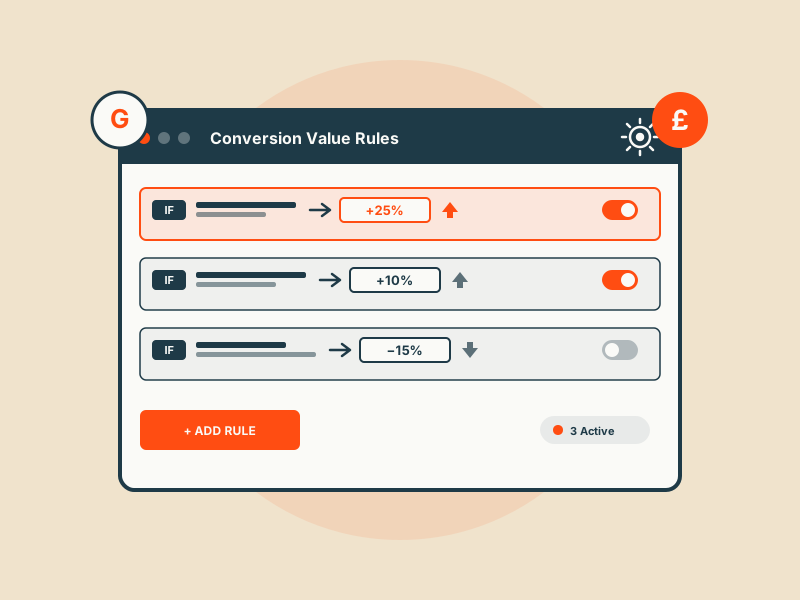
Smart bidding is only as good as the values you feed it. Conversion Value Rules are the fix, and the three rules every serious account should run.
Smart bidding in Google Ads is only as good as the conversion values you feed it. Most e-commerce and lead-gen accounts tell Google that every conversion is worth the same, or worth whatever the cart value was at checkout, and then wonder why ROAS targets don't translate into real profit.
Conversion Value Rules are the fix, and almost nobody uses them. This is the most overlooked setting in Google Ads, and the one that most often moves the needle when we add it to an account.
What Conversion Value Rules actually do
Conversion Value Rules let you adjust the value Google reports for a conversion at bid time, based on three dimensions:
- Audience (e.g. new customer vs returning, or a high-LTV segment)
- Location (country, region, city)
- Device (mobile, desktop, tablet)
You set up rules with IF/THEN logic. "If the converter is a first-time buyer from the UK on desktop, adjust the reported value by +25%." Google uses the adjusted value, not the raw conversion value, when calculating ROAS for smart-bidding decisions.
The key phrase is "at bid time". Smart bidding (Target ROAS, Maximise Conversion Value) makes decisions based on predicted value per auction. If your values are flat, smart bidding treats a new customer and a repeat discount buyer as identical. They're not.
Why they matter
Three things are true in almost every account we audit:
- A repeat customer is worth meaningfully less in incremental profit than a new customer, because they'd likely have bought anyway, paid ads are just claiming the attribution
- Customers in different geographies have different margin profiles, different shipping costs, different lifetime values
- Devices don't convert at the same rate, and average order values differ meaningfully between mobile and desktop in most verticals
Smart bidding doesn't know any of this. Without rules, it's optimising to a number that doesn't match what you'd actually pay to acquire each customer. Conversion Value Rules are how you give smart bidding the real-world economics.
Three scenarios where they pay off immediately
Scenario 1, New vs returning customers (e-commerce). Most e-commerce brands value a new customer 2–3× higher than a repeat. Set a rule: IF audience is "New customers" (Google Ads's own list or a customer-match list of existing buyers to define "returning"), THEN adjust value +50% or more. This alone typically lifts new-customer acquisition by 15–30% in accounts where it hasn't been configured, while keeping overall spend flat.
Scenario 2, Geo-based profit margins. If your domestic market carries 40% margin and your international market carries 20% because of shipping and returns, tell smart bidding. Rule: IF location is in [low-margin countries], THEN adjust value minus 40%. Smart bidding will still chase international conversions, it will just bid less for them, which is what you want.
Scenario 3, High-LTV segments. You've identified via your own analytics that buyers of a specific SKU category have 3× the 12-month LTV. Upload them as an audience, then set: IF audience is "High LTV", THEN adjust value +100%. Smart bidding starts treating them like the gold they are.
How to set them up
In Google Ads: Tools → Conversions → Value Rules. You create a rule per dimension or combine dimensions in a single rule. Rules apply at the account or campaign level.
A few practical notes:
- Rules apply in addition to your existing conversion values. They don't replace the values coming from your site, they multiply or adjust them
- You need at least 14 days of conversion volume under the rule before smart bidding fully internalises it
- Rules stack, if you have a geo rule and an audience rule that both apply to the same conversion, both modifiers compound
- Preview the expected impact in the UI before applying, Google will show you the adjusted versus original values on recent conversions
The three rules every account should run
If you take nothing else from this post, run these three by next week:
- New vs existing customer modifier for e-commerce (+50% to +100% on new). This is the single highest-leverage rule in e-commerce
- Geo profitability modifier if you sell internationally, adjust down on low-margin regions rather than up on high-margin ones, which keeps volume honest
- Mobile vs desktop modifier if you can see a genuine AOV or LTV difference by device. Don't invent one if it doesn't exist
Common mistakes
- Layering on top of value-based bidding rules already in the tag. If your site is already sending an adjusted value (gross margin instead of revenue, say), a Conversion Value Rule stacks on top and double-counts. Pick one layer, not both
- Setting modifiers too aggressively. +200% on a rule with small audience volume creates wild bid swings. Start with ±25% to ±50% and iterate
- Setting up a new-customer rule without a customer-match list big enough for Google to match against. You need a fresh, large customer-match list (ideally more than 10k matched users) before "new customer" mode actually segments meaningfully. Upload your full customer email list before turning the rule on
- Setting up rules and then not looking at them for six months. Your geo margins change. Your LTV by segment changes. Review rules quarterly
Why nobody uses them
Partly because they're buried in the conversions menu. Partly because they require some real-world business knowledge (what IS a new customer worth to you? what's your margin by country?) that agencies sometimes don't have access to. And partly because smart-bidding documentation under-emphasises them, Google talks much more about its own value-based bidding signals than about giving advertisers levers to correct Google's math.
That's the opportunity. In most accounts we take over, adding the right three Conversion Value Rules is the first quick-win, two hours of work, measurable change in what smart bidding actually prioritises within two weeks. If you're not using them, you're leaving smart bidding to guess.
Get a free PPC audit from the team that wrote this.
We'll review your Google Ads or Microsoft Ads account and show you three specific things we'd change in the first 30 days.