
LinkedIn Profile Targeting on Microsoft Ads: a real-world test
We ran £20k through identical campaigns with and without LinkedIn layers to measure the real B2B uplift. What worked, what didn't, and the playbook we run now.
Microsoft Ads has a feature Google doesn't: LinkedIn Profile Targeting. Microsoft owns LinkedIn, which means if you're running Search campaigns on Bing, you can layer job title, industry, or company name targeting straight from LinkedIn's professional data, on top of keywords, at the auction level.
It sounds like the B2B advertiser's dream. The question is whether it actually works in practice. We ran a real test to find out.
What LinkedIn Profile Targeting actually does
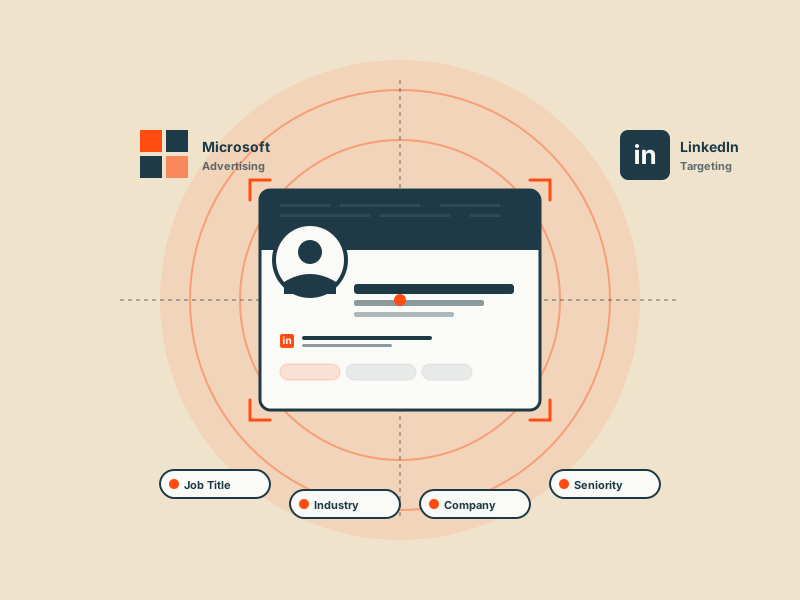
LinkedIn Profile Targeting lets you add bid modifiers (up to +900%) or restrictive filters to your Microsoft Ads campaigns based on three LinkedIn profile dimensions:
- Job title, specific roles (e.g. "Chief Marketing Officer", "Head of Procurement")
- Industry, LinkedIn's industry categories (e.g. "Financial Services", "Software & IT Services")
- Company, named companies (e.g. "Salesforce", "Bank of America")
The user does not need to be logged into LinkedIn for this to work. Microsoft matches against profile data silently at auction time. The targeting is not available on the Audience Network or on Google Ads, Microsoft is the only place you can buy it.
Why it matters (and why most advertisers ignore it)
Three reasons it matters for B2B advertisers:
- Keyword intent on Microsoft Ads is genuinely high for business queries, Microsoft's user base skews desktop, work hours, corporate devices
- Layering LinkedIn filters on top of keyword intent compounds two qualifying signals, not just one
- Most of the feature's value is on Search specifically, that's where the "searcher already wants something; now we know who they are" moment happens
Most advertisers ignore it for two reasons: they don't know it exists, and when they do try it they layer it wrong and it looks like the feature didn't work. It does work. You have to use it correctly.
The test setup
We picked a B2B SaaS client with an existing, stable Microsoft Ads search account running against mid-funnel commercial keywords (~£15k/month spend, roughly 30% of their paid-search mix). Over six weeks we set up two identically-resourced campaign groups:
- Control, standard Microsoft Search campaigns, identical keywords, copy, landing pages, budgets, and smart-bidding strategy. No LinkedIn layer.
- Test, same campaigns duplicated, with LinkedIn Profile Targeting layered on top: 6 LinkedIn industries matching the ICP, 22 buyer and decision-maker job titles, no company-level targeting on this round (audience was too narrow).
Total spend across the test: roughly £20k.
Both campaign groups used the same conversion actions (demo request, qualified pipeline from their CRM) and the same Max Conversions bidding strategy. We watched the usual Microsoft metrics plus pipeline quality from their CRM six weeks after the test ended.
What we saw
Top-line numbers:
- Click-through rate on the LinkedIn-layered campaigns was 34% higher. Ad copy that mentions the buyer's job context converts harder on users who actually hold that job
- Cost per click was 18% higher on the layered campaigns. LinkedIn data is a premium signal and Microsoft prices it in
- Conversion rate (demo request) was 61% higher on the layered campaigns
- Net effect on CPA: roughly minus 27%. The higher CPC was more than paid back by the lift in conversion rate
- Pipeline-weighted outcome, measured six weeks after the test ended from the client's CRM: the LinkedIn-layered cohort generated 2.1× more qualified pipeline per £ spent. This is the number that actually mattered for the client
The catch: volume on the layered campaigns was lower. Audience size is genuinely smaller when you stack three LinkedIn filters. You can't run your whole account on it.
What worked
- Industry plus job title in combination, not either alone. Industry by itself is too broad; job title alone is too narrow. Stacking both gave us qualified volume at a useful scale.
- Bid modifiers, not exclusions. We used LinkedIn filters as positive bid modifiers (around +40%) rather than restrictive "only these" filters. That let the campaigns still serve to unmatched traffic at a lower bid and captured users whose LinkedIn profiles were incomplete.
- Ad copy written for the job title. Generic copy underperformed. Copy that mentioned the user's role or pain point directly ("Chief Revenue Officers use [product] to…") converted meaningfully better.
What didn't work
- Company-level targeting at small scale. We ran a side experiment targeting specific named companies. Volume was too low to be useful in a six-week test, and Microsoft's matching against individual companies is much patchier than against industries.
- Using LinkedIn as a sole restrictive filter on low-volume keywords. If the keyword is already narrow, adding a LinkedIn filter on top kills volume below useful thresholds. Keep the filter additive, not restrictive, unless the keyword is broad.
Our playbook now
For B2B Microsoft Ads accounts we now run LinkedIn Profile Targeting by default on any campaign where the ICP is well-defined. The playbook:
- Identify 3–6 LinkedIn industries matching the ICP (not 20, be honest about your buyer)
- Identify 15–30 job titles covering buyers, champions, and decision-makers
- Layer as bid modifiers (+30% to +50%), not restrictive filters, on the main search campaigns
- Write ad copy that speaks to those buyer personas, the lift only materialises if the creative matches the filter
- Skip company targeting unless you're doing explicit account-based marketing with a named target list of 200+ accounts
Microsoft Ads is not the biggest channel in most accounts we run, but for B2B this one feature alone justifies the platform. If you're on Google Ads only, you're paying full price for a worse signal.
Get a free PPC audit from the team that wrote this.
We'll review your Google Ads or Microsoft Ads account and show you three specific things we'd change in the first 30 days.